APEX #5 — ChirpStack: a LoRaWAN server in the cabinet (and a feeling of déjà vu)
23 October 2026 · 6 min
#distech-controls,#eclypse-apex,#docker,#lorawan,#chirpstack,#serie-apex
ECLYPSE APEX series — episode 5/6 · Previous: #4 Node-RED and the REST API
LoRaWAN in BMS is often the same old story. You install wireless thermostatic heads, temperature sensors… and all the data goes off to some cloud, with a subscription per sensor. It works, but when the cloud coughs, the whole building catches a cold.
Today, we bring all of that back home: a complete ChirpStack network server, inside the ECLYPSE APEX.
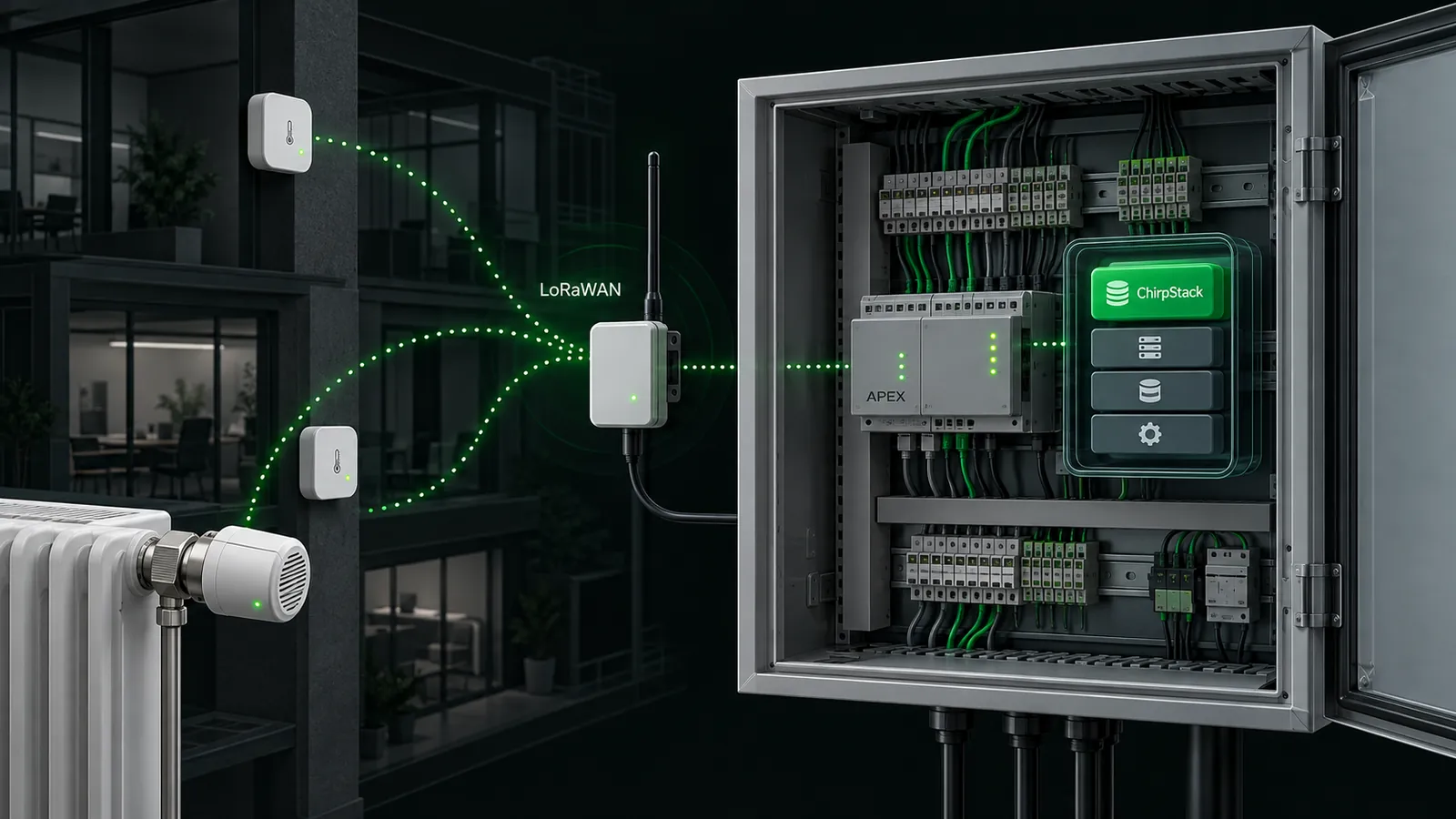
And I’ll be honest with you: now that you get the principle, it’s always the same thing. An ARM64 image with a fixed tag, a port in 50xxx, ExposedPorts, Mounts, CpusetCpus, a volume for the data, a config written at startup. You know the drill. So I won’t walk you through six JSONs line by line: we’ll focus on what changes.
The whole crew
ChirpStack isn’t one container, it’s a small team:
| Container | Image | APEX port | Role |
|---|---|---|---|
chirpstack-redis | redis:7-alpine | 50379 | cache and sessions |
chirpstack-postgres | postgres:14-alpine | 50432 | devices, applications, profiles |
chirpstack-init | alpine:3.20 | — | writes the config, then exits |
chirpstack | chirpstack/chirpstack:4.12.1 | 50081 | the network server and its web interface |
chirpstack-gateway-bridge | chirpstack/chirpstack-gateway-bridge:4 | 50170/udp | receives packets from the gateways, publishes them over MQTT |
chirpstack-rest-api | chirpstack/chirpstack-rest-api:4 | 50090 | REST API and Swagger (optional) |
Plus the Mosquitto from episode 2, which serves as the bus for this whole little world. As usual, everyone talks to each other through IP_APEX:port.
What changes: no shell
Our signature trick is the sh -c that writes the config at startup. Except the ChirpStack and Gateway Bridge images are distroless: no shell, nothing. The sh -c goes out the window.
My first solution, which I’ll give you as an anecdote: build custom images on the PC with the config baked in, push them to Docker Hub, and pull them from the APEX. It works, but you need Docker Desktop, a Docker Hub account, and a rebuild every time a password changes. Meh.
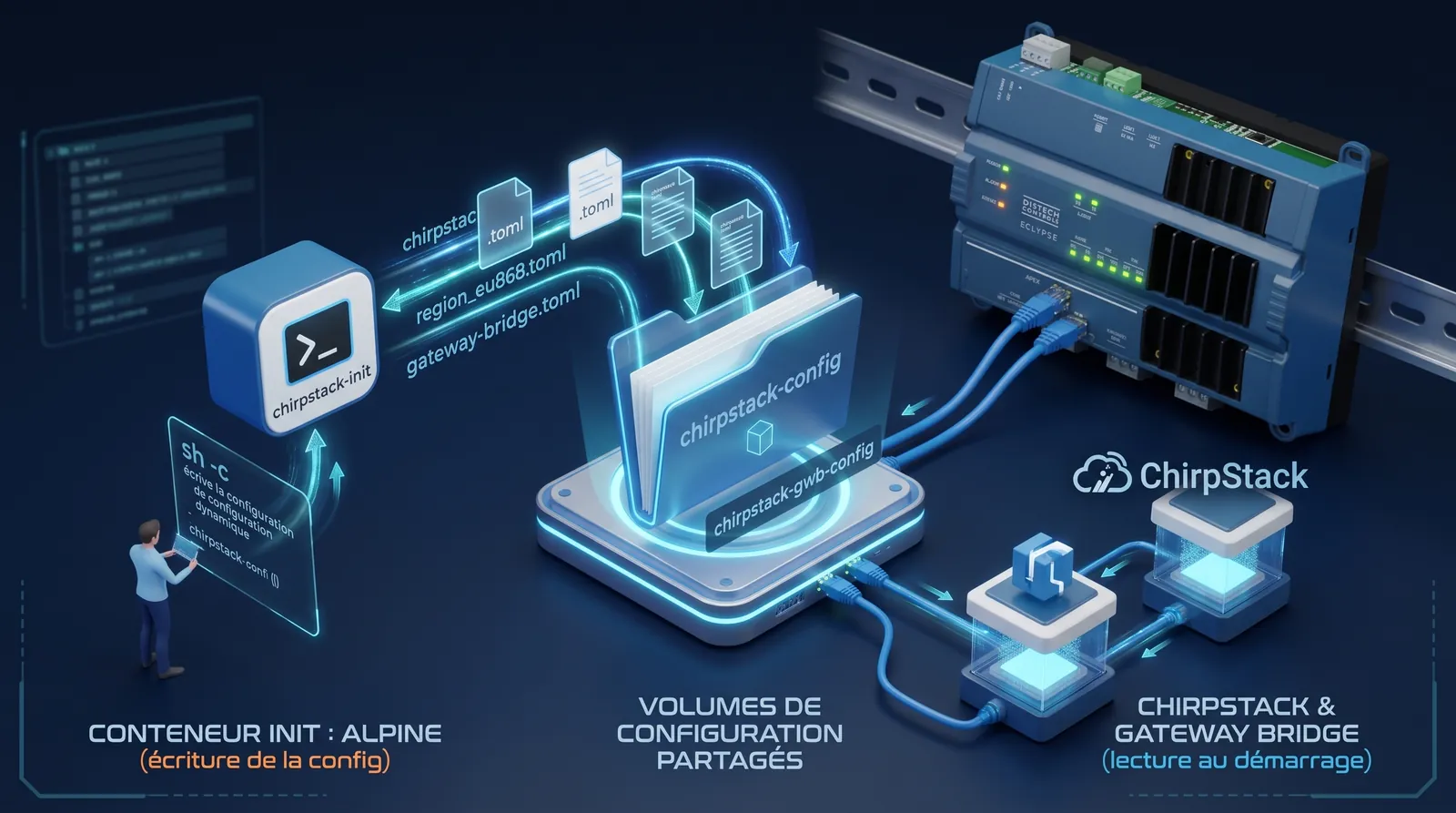
The right solution is much simpler: an init container. A small Alpine, which does have a shell, writes the TOML files into a volume, then exits. You then mount that same volume into ChirpStack, where it looks for its config. The sh -c, but at the neighbor’s place.
{
  "Image": "alpine:3.20",
  "Entrypoint": ["sh", "-c"],
  "Cmd": ["mkdir -p /cs /gwb && printf '%s\\n' '…chirpstack.toml…' > /cs/chirpstack.toml && printf '%s\\n' '…region_eu868.toml…' > /cs/region_eu868.toml && printf '%s\\n' '…gateway-bridge.toml…' > /gwb/chirpstack-gateway-bridge.toml && echo done"],
  "HostConfig": {
    "CpusetCpus": "0",
    "RestartPolicy": { "Name": "no", "MaximumRetryCount": 0 },
    "Mounts": [
      { "Target": "/cs", "Source": "chirpstack-config", "Type": "volume", "ReadOnly": false, "Consistency": "default" },
      { "Target": "/gwb", "Source": "chirpstack-gwb-config", "Type": "volume", "ReadOnly": false, "Consistency": "default" }
    ]
  }
}
Then ChirpStack mounts chirpstack-config on /etc/chirpstack, with "Cmd": ["-c", "/etc/chirpstack"] to tell it where to read its config, and the Gateway Bridge mounts chirpstack-gwb-config on /etc/chirpstack-gateway-bridge. No custom image: to change the config, rerun the init, then restart ChirpStack and the Gateway Bridge.
The useful content of the TOML files, in plain text:
# chirpstack.toml
[postgresql]
dsn="postgres://chirpstack:***@IP_APEX:50432/chirpstack?sslmode=disable"

[redis]
servers=["redis://IP_APEX:50379"]

[network]
net_id="000000"
enabled_regions=["eu868"]

[api]
bind="0.0.0.0:8080"
secret="une-longue-chaine-aleatoire"

[integration]
enabled=["mqtt"]

[integration.mqtt]
server="tcp://IP_APEX:50083/"
json=true
# region_eu868.toml
[[regions]]
id="eu868"
description="EU868"
common_name="EU868"

[regions.gateway.backend]
enabled="mqtt"

[regions.gateway.backend.mqtt]
topic_prefix="eu868"
server="tcp://IP_APEX:50083"
# chirpstack-gateway-bridge.toml
[backend]
type="semtech_udp"

[backend.semtech_udp]
udp_bind="0.0.0.0:1700"

[integration.mqtt.auth.generic]
servers=["tcp://IP_APEX:50083"]

[integration.mqtt]
event_topic_template="eu868/gateway/{{ .GatewayID }}/event/{{ .EventType }}"
state_topic_template="eu868/gateway/{{ .GatewayID }}/state/{{ .StateType }}"
command_topic_template="eu868/gateway/{{ .GatewayID }}/command/#"
Two traps that cost me a few evenings:
- A line break after each value, and at the end of the file. When the TOML is written by a
printfinside ash -c, a lost line break or a badly escaped quote glues two lines together, and then the parser crashes. You spend a long time looking for why. An empty line between sections keeps the file readable, and that kind of mistake jumps out. - The region prefix must be the same on both sides.
topic_prefix="eu868"on the ChirpStack side,eu868/gateway/…on the Gateway Bridge side. If the two don’t talk on the same topics, the gateway is “seen” but ChirpStack never receives anything. Great vibes.
The pg_trgm extension, still without a shell… or almost
ChirpStack needs the PostgreSQL pg_trgm extension. Good news: the postgres:14-alpine image does have a shell. Back to the classic sh -c: we drop an SQL script into /docker-entrypoint-initdb.d/, which PostgreSQL runs when the database is created. Only on creation: if the chirpstack-pgdata volume already exists, editing this script changes nothing anymore.
{
  "Image": "postgres:14-alpine",
  "Entrypoint": ["sh", "-c"],
  "Cmd": ["mkdir -p /docker-entrypoint-initdb.d && echo 'CREATE EXTENSION IF NOT EXISTS pg_trgm;' > /docker-entrypoint-initdb.d/chirpstack.sql && exec docker-entrypoint.sh postgres -c listen_addresses='*'"],
  "Env": ["POSTGRES_USER=chirpstack", "POSTGRES_PASSWORD=CHANGEZ_MOI", "POSTGRES_DB=chirpstack"],
  "ExposedPorts": { "5432/tcp": {} },
  "HostConfig": {
    "CpusetCpus": "0",
    "RestartPolicy": { "Name": "unless-stopped", "MaximumRetryCount": 0 },
    "PortBindings": { "5432/tcp": [{ "HostPort": "50432" }] },
    "Mounts": [
      { "Target": "/var/lib/postgresql/data", "Source": "chirpstack-pgdata", "Type": "volume", "ReadOnly": false, "Consistency": "default" }
    ]
  }
}
The script only runs when the database is created, so on the very first startup. And the volume is sacred, I won’t repeat it again.
Startup order
This one really matters:
- Mosquitto, Redis and PostgreSQL;
chirpstack-init, which writes the config and exits (you can delete it afterwards, the volumes stay);- ChirpStack;
- the Gateway Bridge and the REST API.
Then http://IP_APEX:50081, login admin / admin… which you change immediately, obviously. On the LoRaWAN gateway side: Semtech UDP packet forwarder, server = APEX IP, uplink and downlink ports = 50170.
If ChirpStack stays in restarting, check in order: PostgreSQL started, then the TOML contents. A small downside on logs: a distroless image writes to its console output, and without docker logs on the APEX, we can’t see them. No > file.log either, since there’s no shell. The reflex from episode 3 is still useful, just differently: a FileBrowser mounted on chirpstack-config, to reread the files the init actually wrote. A lost line break or a mistyped password shows up right away.
And the sensors, then?
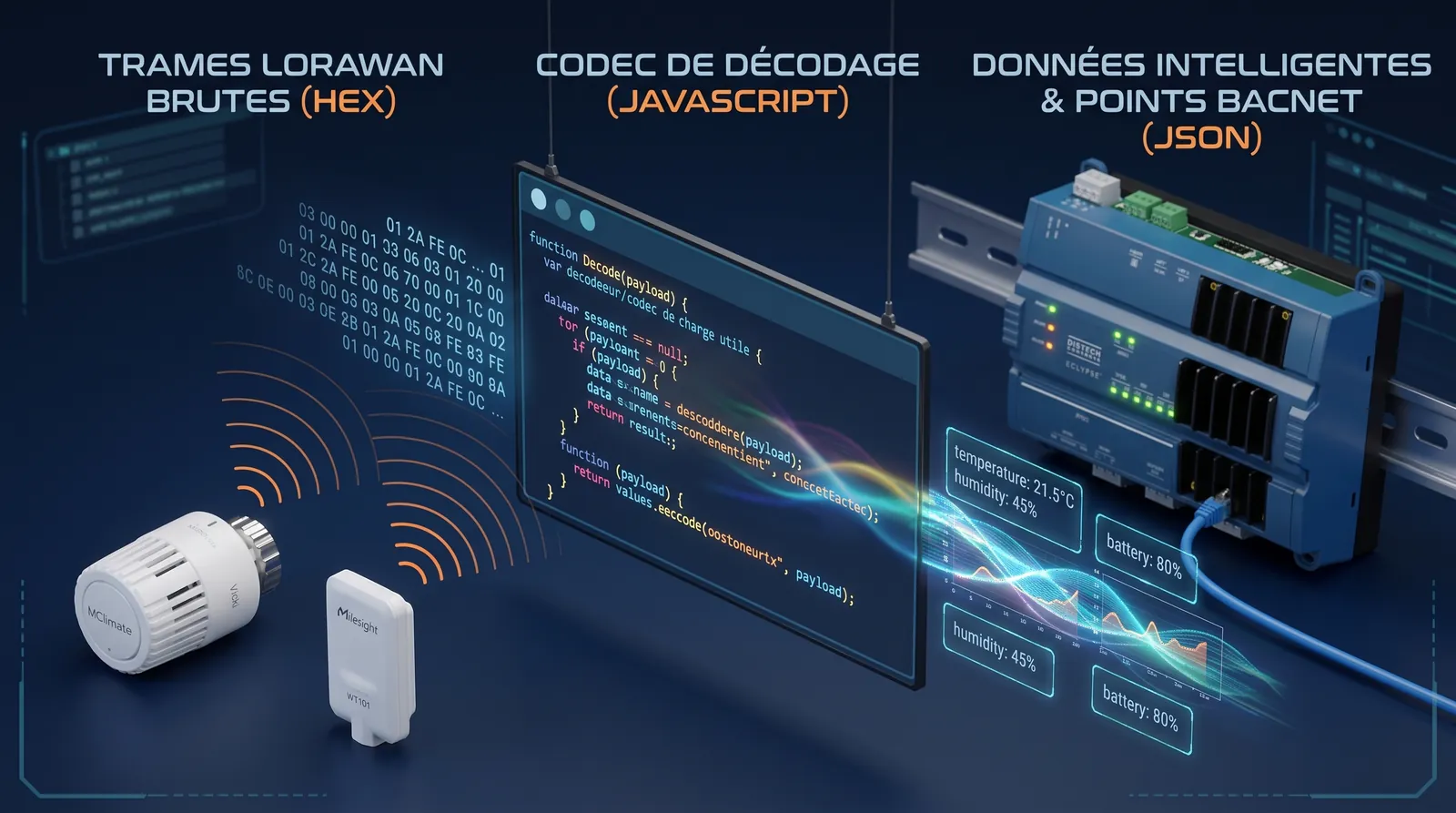
Once the gateway is connected, you create an application, a device profile and its sensors in ChirpStack. The crux of the matter is the device profile’s codec, that little piece of JavaScript that turns hexadecimal frames into readable JSON.
I’ve written and tested a few, for example for the MClimate Vicki head and the Milesight WT101. They’re freely available in opengtb’s LoRaWAN decoder, where you can test your frames and grab the codec ready to paste into ChirpStack v4:
Decoded uplinks land in Mosquitto, on application/+/device/+/event/up. And to turn them into BACnet points? Same old thing, I tell you: Node-RED and the REST API, as in episode 4. Only discovery changes. And on the LoRaWAN side, Sylvain Montagny’s work is the reference: his LoRaBAC application does exactly this bridge, with a codec library and support for Distech controllers.
What’s next
You’ve noticed: for three episodes now, it’s always the same dance. Check ARM64, pick a port, write a JSON the OPA likes, generate passwords, start in the right order, repeat. And when it’s always the same, any normally constituted IT person has only one urge: automate it.
That’s exactly what I did. In the final episode, I’ll introduce Open Apexpress: everything we’ve seen in this series, in a few clicks.
Links
$ gtb react
Did this article resonate?
$ gtb comments --tail
Comments
// loading…